
Web Vitals is Google’s label for metrics that describe real user experience on the web.
Measuring performance (and UX) used to be a specialist discipline. For everyone else the landscape was noisy. Google narrowed the focus to a small set of metrics — with tooling and a promise they would not change every month.
Today we mainly track LCP, INP (replacing FID), and CLS. Google folds them into page experience signals. If you need the business case first, PageSpeed.ONE explains why speed matters.
This guide is a quick tour of the metrics and how to read them.
The metrics
Web Vitals includes more than three numbers, but Google highlights Core Web Vitals (CWV) as the baseline every site owner should know.
Core Web Vitals
The headline trio — Core Web Vitals:
- Largest Contentful Paint (LCP) — how fast main content appears; a loading metric between First Contentful Paint and Speed Index.
- Interaction to Next Paint (INP) — responsiveness after user input; INP replaced FID as a Core Web Vital in March 2024.
- Cumulative Layout Shift (CLS) — visual stability while the page renders.
Google buckets each metric into three states:
- Good
- Needs improvement
- Poor
Thresholds from Google’s documentation:
| Metric | Good | Needs improvement | Poor |
|---|---|---|---|
| LCP | ≤ 2.5 s | 2.5 – 4 s | > 4 s |
| INP | ≤ 200 ms | 200 – 500 ms | > 500 ms |
| CLS | ≤ 0.1 | 0.1 – 0.25 | > 0.25 |
For a single score per URL, Google recommends the 75th percentile across mobile and desktop field data. The worst metric wins — that is how PageSpeed Insights reports pass/fail today.
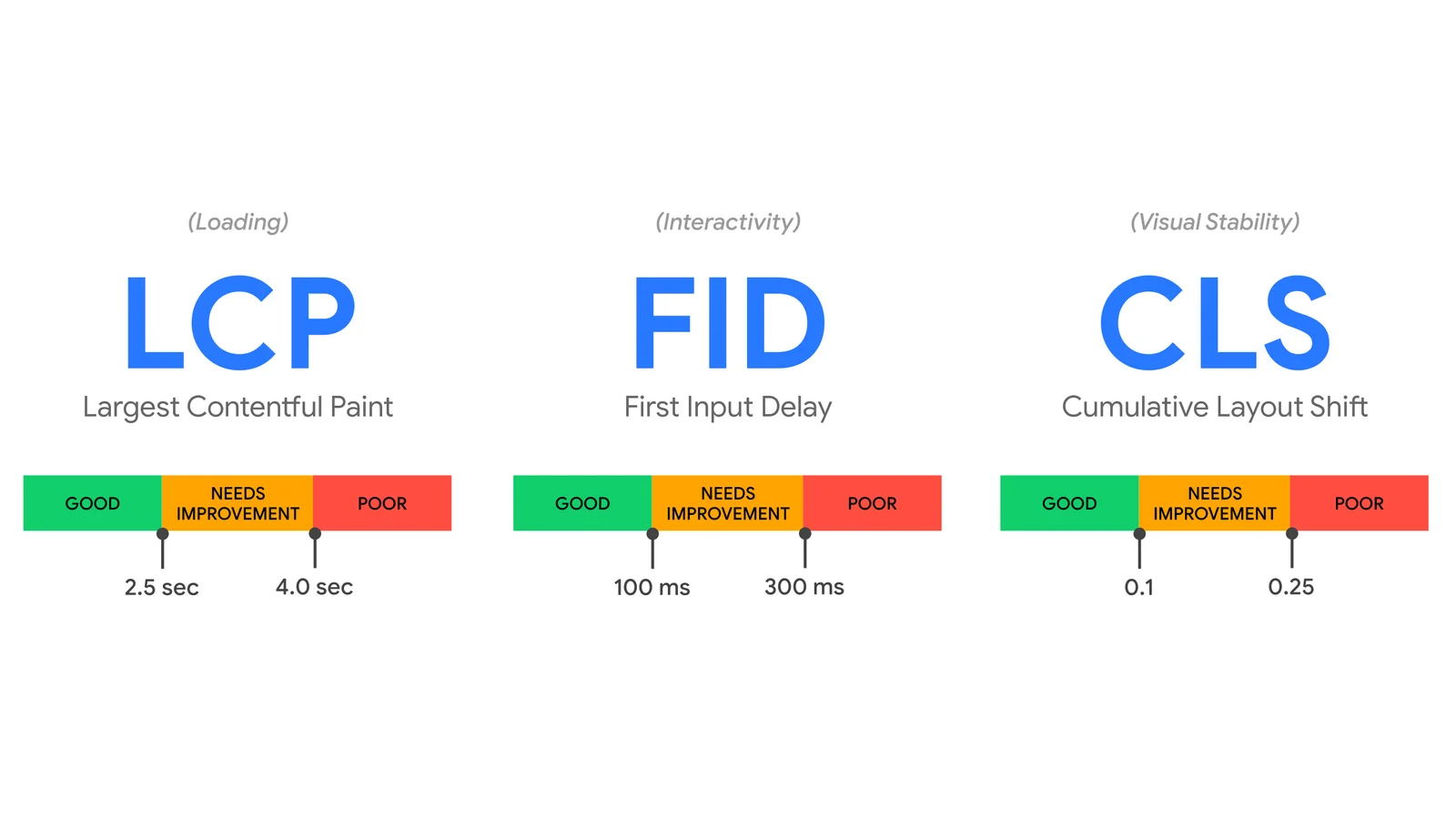
Core Web Vitals at a glance. Source: web.dev.
Optimization guides on web.dev:
- Optimize LCP — also LCP on PageSpeed.ONE
- Optimize INP — also INP on PageSpeed.ONE
- Optimize CLS — also CLS on PageSpeed.ONE
What about the other metrics?
Specialists still care about TTFB, FCP, TBT, and the rest. LCP alone will not reveal a slow backend or a late hero image without measuring upstream.
How to measure Web Vitals
Google updated its tooling quickly when Vitals landed.
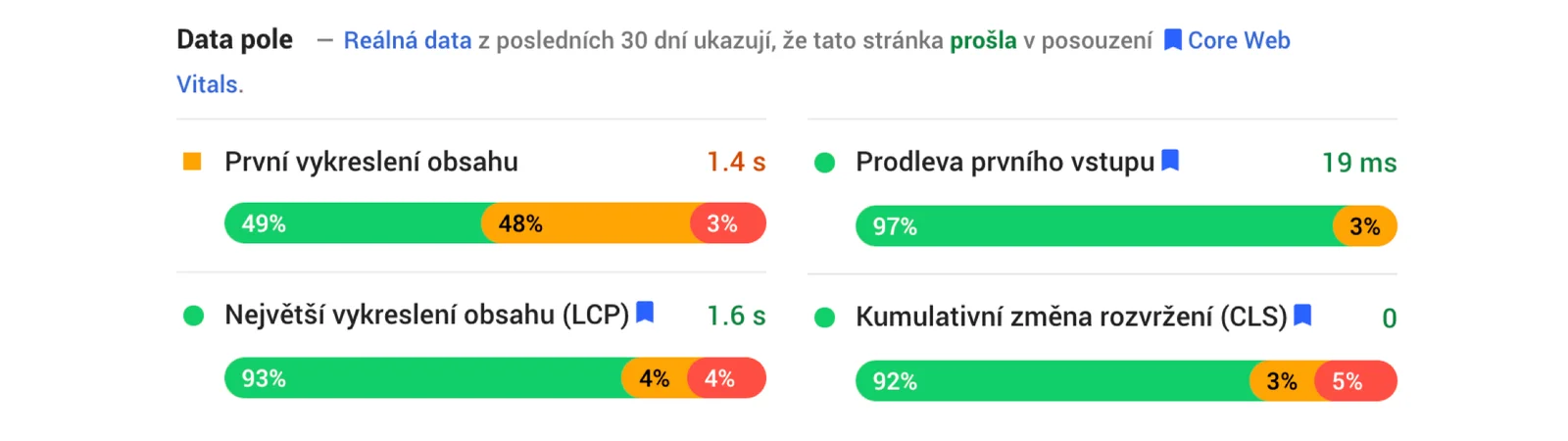
Web Vitals in PageSpeed Insights. Lab data may still list FCP even though it is not part of CWV.
Practical entry points:
- PageSpeed Insights — field data in the CrUX section; try it on your URL now.
- Search Console — Core Web Vitals report by URL group.
- Chrome UX Report — raw field data; CrUX Dashboard in Looker Studio.
- WebPageTest — highlights Vitals in results (example run).
- Web Vitals extension — live values in Chrome.
- web-vitals JS library — send metrics to analytics.
INP and FID require real-user (RUM) data. Synthetic tools such as Lighthouse or WebPageTest approximate interactivity with Total Blocking Time (TBT) instead.
Google says Core Web Vitals should change at most once a year — but they also admit the set is not final. This article will keep evolving.