
This one annoys me. A lot of today’s “speed up your site” plugins ship a single checkbox that lifts a Lighthouse score in the blink of an eye.
What it does is delay the execution of all JavaScript until the first user interaction — a scroll, a click, a tap.
This is wrong.
For real users, though, nothing gets faster. It can make things slower, and it can quietly break your analytics.
It is a small con trick that our whole industry keeps tacitly accepting.
This is an expanded version of one section from Fake fast websites: how Lighthouse scores get hacked, which I published on the PageSpeed.ONE blog. Here I look at this one technique only, and mostly at the specific plugins that sell it.
Delaying all JavaScript sounds like a clever move — so why have we at PageSpeed.ONE optimised hundreds of sites and never once recommended this technique to a client?
Why it is wrong, yet works on Lighthouse so reliably
Lighthouse loads a page and measures it. It does not scroll, does not click, never touches the screen.
Delayed JavaScript therefore never runs during the test. Total Blocking Time disappears from the measurement — and that is the single heaviest metric in the Lighthouse score, a full thirty percent of it. LCP improves too, because the browser has nothing to execute.
The score jumps up while the site itself got no faster. The JavaScript merely moved to later, often to the worst possible moment.
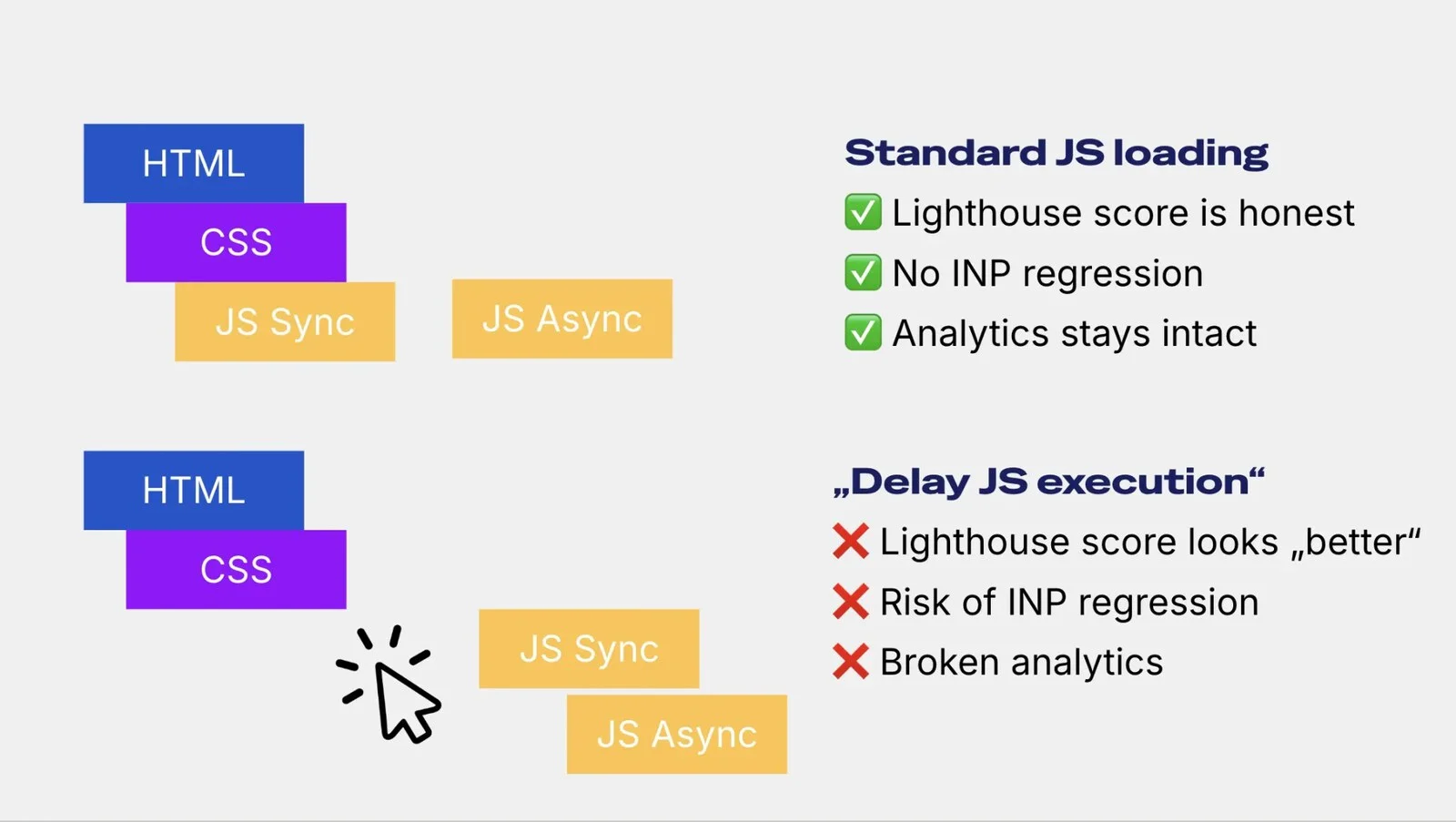
Delayed JavaScript: scripts only load after a user interaction. It is evil.
I am not alone in this view. Barry Pollard, who works on web performance at Google, named the pattern a while back:
“A common pattern I see is to delay ALL JS until the user interacts with a page: Great for Lighthouse scores! Often terrible for users.”
So what exactly is wrong with delaying everything?
Four risks of delaying all your JavaScript
- It hurts interactions (INP). A visitor lands on the page, reads the headline and clicks. That is the moment all the accumulated JavaScript fires at once. The main thread locks up and the user’s first click waits.
- It hurts layout stability (CLS). Scripts that render content late — carousels, personalisation — now run late. The Lighthouse test measures no shift at all, because that code never ran. So you cannot see your real CLS either.
- Your measurement stops working. Analytics, cookie consent, chat, A/B tests and conversion tracking all get delayed along with everything else. Your data stops adding up and nobody knows why.
- It devalues the Lighthouse score. The score is not a measure of real-world speed, but it is useful for diagnosing changes. Strip all JavaScript out of it and you are measuring something other than your site.
Let me be precise about the first point. There is no public field study measuring INP getting worse after this feature is switched on. What we have is a mechanism, described by people at Google, plus an admission from WP Rocket that INP did not improve in their own test. That is a strong indication, not a measured impact.
Let me stop being polite and name the offenders.
The offenders. Which plugins ship this
We went through the best-known WordPress optimisation plugins and the so-called one-click optimisers. For each one we looked for three things: what the setting is called, whether it is on by default, and whether the documentation mentions the risks.
| Plugin | Setting | Default | Warns? |
|---|---|---|---|
| WP Rocket | Delay JavaScript Execution | off | no |
| LiteSpeed Cache | Load JS Deferred → Delayed | off | yes |
| WP-Optimize | Delay JS | off | partly |
| Perfmatters | Delay all scripts | off | no |
| NitroPack | Delay non-critical resources | on in Ludicrous | partly |
| WP Meteor | Infinite Delay | off | yes |
| Autoptimize Pro | Delay JavaScript (timeout 0) | off | yes |
| SpeedyCache | Delay All | off | yes |
That last column needs explaining. “Partly” means the docs only warn that your site might break, while saying nothing about the effect on the Lighthouse score or on users.
Only one plugin, SpeedyCache, also warns you that your analytics will break.
Two rows deserve a comment.
LiteSpeed Cache has two paths to the same result. The direct one is Load JS Deferred set to Delayed: scripts wait for interaction, it is off by default, and the docs warn about the risks. The other is Guest Optimization — a bundle of maximum optimisations for first visits and bots. Guest Mode, without which Guest Optimization does nothing, starts off, so a fresh install does not ship this technique on its own. But once Guest Mode is on (or a hosting preset turns it on for you), Guest Optimization can silently force Delayed mode, even if Load JS Deferred is set to OFF. The bug report claims that is the default on Hostinger; Hostinger does not confirm it in its own docs, so treat that as a signal, not a fact.
WP Rocket changed the rules in version 3.9. Until then you had to list the scripts you wanted delayed. From 3.9 on, everything is delayed and you list the exceptions instead. For new users that exception list starts empty, so the moment you enable the feature, absolutely everything gets delayed. To be fair: WP Rocket does mention the INP risk, but on a different and far less visited help page. On the page for the feature itself, there is not a word about it.
A good honesty indicator is the timeout. Plugins that enforce a time limit will eventually run the script even without interaction, so Lighthouse sees it. Products with no timeout, or that let you set it to zero, wait for an interaction forever. That smells a bit like optimisation for the test alone.
The vendors know. Some even wrote it down
We do not have to speculate about whether vendors know what their feature does to speed tests. Some of them have it in black and white in their own documentation.
WP Rocket, on releasing version 3.9:
“This means the JavaScript files won’t be detected by Lighthouse… Is that cheating? Not really if you consider the following points…”
LiteSpeed goes further in its docs and admits the feature also masks a site’s real problems:
“This setting can greatly improve page speed scores… Additionally, Guest Optimization can ‘mask’ any real problems your site may have.”
And Frank Goossens, the author of Autoptimize, wrote this about the option to set the timeout to zero:
“Setting the delay to 0 is a bit shady because at that point you are hiding those assets for performance tests.”
The numbers WP Rocket published with the 3.7 release are worth a mention too. On their own site, this feature moved the mobile score from 46 to 86 points. Meanwhile their own INP write-up states that the INP value did not change.
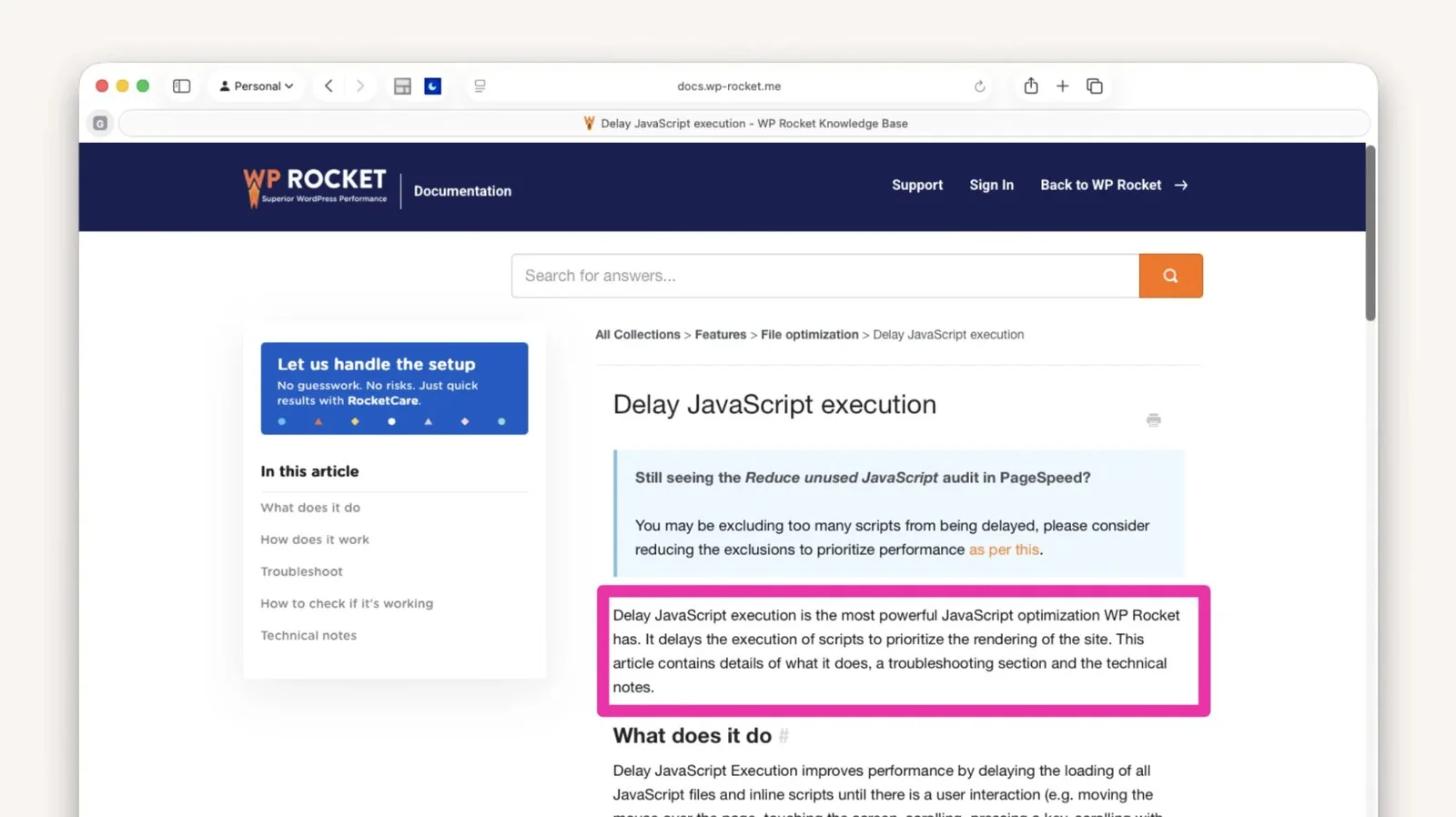
WP Rocket writes only about the benefits of "Delay JS execution" and leaves out the risks.
Careful, not everyone who looks like an offender is one
The word “delay” gets used pretty loosely in plugin land and it is easy to get burned. These features do not delay until interaction, even if the name suggests they might:
- Breeze by Cloudways has a “Delay All JavaScript” setting, but it actually adds the
deferattribute and loads scripts as modules. - Jetpack Boost and its “Defer Non-Essential JavaScript” moves
<script>tags to the end of the document. - Speed Optimizer by SiteGround adds a plain
deferunder “Defer Render-blocking JavaScript”. - Rocket Loader by Cloudflare uses the same
typeattribute trick, but it puts scripts back in play after the page renders, not after an interaction. So Lighthouse does run and measure them.
All four can cause other trouble, script execution order for instance. But they do not artificially inflate the Lighthouse score.
When delaying is the right call
To be fair: delaying code until a user interacts is sometimes exactly the right solution. The difference is whether you delay one specific component or everything.
The textbook case is the facade pattern. Instead of an embedded YouTube video you show a preview image with a play button, and load the real player on click. The same approach works for chat widgets, maps and comments. I write more about this in my pieces on third-party scripts and lazy loading over on my Czech blog.
The clearest tell is how Lighthouse treats the two techniques. For the facade pattern it has a dedicated audit recommending it. For blanket delaying of all JavaScript it has nothing at all.
How to spot the bad kind on your site
These plugins leave fairly obvious traces in your HTML. Most often they rewrite the type attribute on a <script> tag to a value the browser does not understand, and hide the original script URL in a custom attribute.
What to look for in the page source:
type="text/rocketlazyloadscript"anddata-rocket-src– WP Rockettype="litespeed/javascript"– LiteSpeed Cachetype="pmdelayedscript"– Perfmatterstype="javascript/blocked"– WP Meteortype="text/plain"with adata-srcattribute – WP-Optimize
If you would rather not read code, load the page with the Network panel open and do not move your mouse. Then move it. If a batch of JavaScript requests fires at that exact moment, you have your answer.
And always finish by looking at real-user data. A greener lab score with no improvement in user data is not a win.
One checkbox cannot replace engineering work
Deciding what loads when, and in what order, is engineering work that requires knowing the specific site.
One checkbox that delays all JavaScript does not do that work.
What it looks like when a whole industry heads in this direction is what we describe in Fake fast websites: how Lighthouse scores get hacked.
You will also find our investigation of the Website Speedy plugin there. After switching it off we watched the score drop from 95 to 60 points, without a single measurable change in user-perceived speed.
Have you run into this checkbox on a client site or your own? How did you deal with it? Come and discuss it on Bluesky or X.