
Email doesn’t have to be a source of dread. Your inbox doesn’t have to overflow with marketing newsletters, half-finished threads, and irrelevant noise. It doesn’t have to be full at all. And you don’t have to keep forgetting things and letting people slip through the cracks.
You don’t have to feel a small pang of guilt every single time you remember your inbox exists.
I know two ways out. The first is to pretend email doesn’t exist. The second is Inbox Zero, a method for processing email systematically.
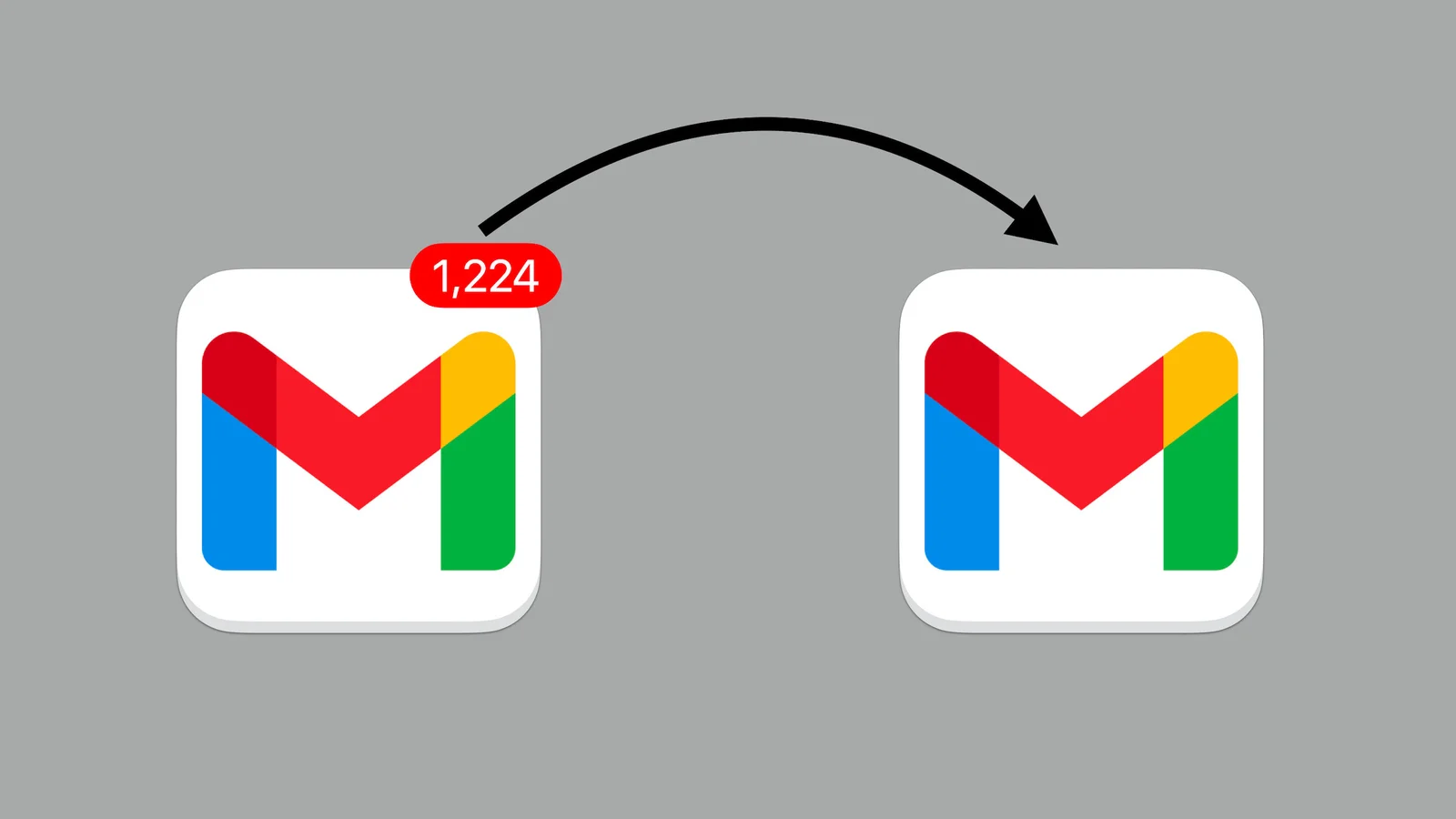
This is what we all want. Sometimes it's enough to switch off the badge on the app icon. Sometimes you need more — a method.
Why email still deserves your respect
Among some professionals, email has earned such a bad reputation that they flee to real-time chat tools (Slack, Teams, instant messaging in general) or pick up the phone for every little thing. Sooner or later, that leads to forgotten decisions, people left out of the loop, and general communication chaos.
Email has real strengths. The recipient shouldn’t expect an instant reply, so you get time to think. Conversations leave a searchable, permanent record. Email isn’t as built for interruption as IM, which makes it far friendlier to deep work. And everyone has an email address — even people who barely use it — which makes it the one truly universal platform.
Email simply complements every other channel beautifully. I’d go so far as to call it the essential cornerstone of online communication. It has a bad name, but maybe only because people use it badly.
For me, the manual for using email well is called Inbox Zero. What surprised me is how few people actually know and use the method.
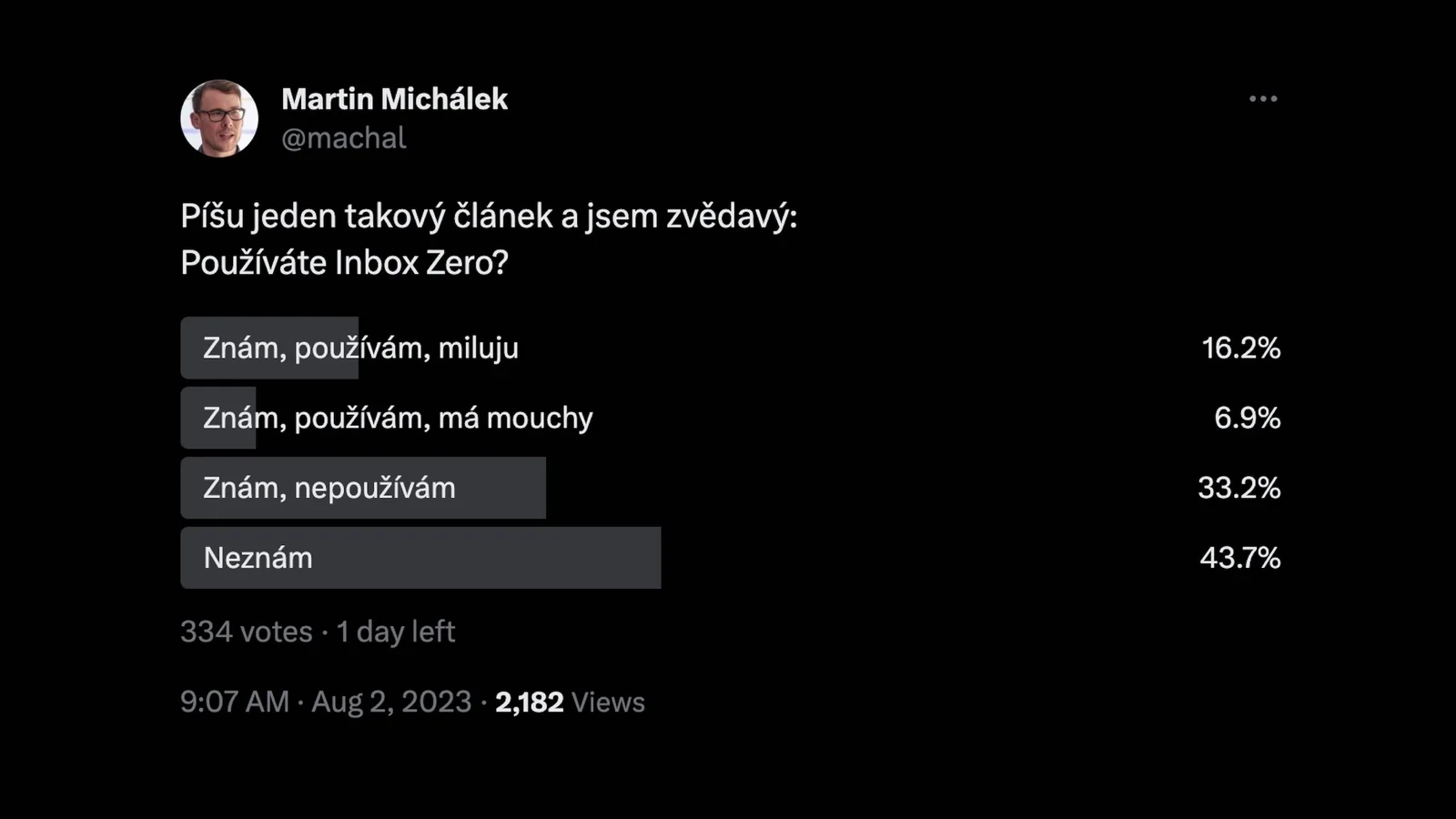
Rigorous scientific research has shown that the overwhelming majority of people appreciate an article about Inbox Zero.
That’s part of why this article exists. Let’s get into it.
What is Inbox Zero?
Inbox Zero is a method whose goal is to process and organize incoming email efficiently. The aim is to keep your inbox regularly empty — or close to it.
Inbox Zero was invented and popularized in the 2000s by Merlin Mann, a productivity expert.
In practice, by the book, it looks roughly like this:
- At least once a day, you give your inbox dedicated time.
- You go through your messages, and each action follows the four Ds (Do, Delegate, Defer, Delete).
- You then either archive or delete each message.
- Profit! The inbox is clean.
The main point of Inbox Zero is to lower the stress that comes with email, raise your productivity, and keep a sense of control over your communication.
The marketing pitch is that the goal is to keep both your mind and your inbox clear.
That’s accurate. Genuinely.
In the rest of this article I’ll expand on that and add my own experience.
I’ve personally used Inbox Zero for about ten years. I’d guess I switched over when Google Inbox arrived — the now-defunct, innovative Gmail alternative that, among other things, catered to Inbox Zero enthusiasts.
These days I’m back on plain Gmail, but more or less any email client will do the job.
What does Inbox Zero give me? Less stress from an overflowing inbox, less fear of falling behind, less forgetting, faster retrieval of information. Easier, more systematic organization of my work.
How I work and which tools I use
Before we get into concrete, practical tips, I feel the need to put my version of Inbox Zero into a bit of context.
How do I work? I’m a freelancer; my specialty is web performance consulting, but the bulk of my work today is more or less management. With three colleagues I run consulting under the PageSpeed.ONE brand, where we have around fifty clients. As part of another team I help develop a speed tester. I also help run a developer community and occasionally write articles or ebooks.
I get around a hundred emails a day, plus messages on social media, in IM tools, and so on. It’s quite a lot, and without a method I’d be sunk.
I use a ton of communication channels, like most people. Here’s how I relate to each of them in the context of my take on Inbox Zero.
Email (Gmail)
Email is my main communication hub. Every notification I could route there — mostly from Basecamp, our project management tool — lands in email. But I don’t visit often, just a few times a day. Notifications are off. I use Gmail.
IM (Slack)
We use Slack for real-time team communication. IM is essential for the occasional blocker or problem that genuinely can’t wait.
We also have lower-priority channels just for chatting. I keep Slack notifications on only in the afternoon, when I’m not doing deep work, though I do peek in sometimes in the morning. The same goes for WhatsApp, Messenger, iMessage, and the rest of my personal communication.
If it’s not on fire, I don’t reply immediately. With the exception of my wife and kids, of course.
Phone
I use the phone very little, but it occasionally comes in handy for explaining more complicated — or rather moderately complicated — topics.
Some clients are very phone-oriented, and I try to respect that. Luckily I rarely have real emergencies and disasters at work, so I can usually pick up without fear of a major interruption and without stress.
After a long stretch of communicating only by email, you can get a feeling I call “emotional disconnection,” so sometimes it’s good to meet up or at least call. The phone is, after meeting in person, the most human form of communication for me. But I’d rather meet people than call them.
Video calls
Online meetings (or, more aptly, “calls”) have all but replaced in-person meetings in my field, and honestly that suits me. I’m in regular contact with most clients. Every now and then I prefer to meet in person. But it’s getting harder and harder to push for in-person work meetings, don’t you think?
So much for the wider context of how I communicate. Now, on to email and Inbox Zero. Before we begin, we need to meet a few prerequisites.
Prerequisite one: dedicated, limited time — say, after lunch
It’s going to cost you time. There’s no way around it. Make your peace with it. Emails in your inbox are waiting, and they don’t have legs. They won’t walk away and they won’t resolve themselves unless you give them time. You have to set that time aside.
Some methods recommend dealing with email as fast as possible, or maybe once an hour, but personally that would kill me. I give email attention only a few times a day. On vacation, even less — typically once a week. It works roughly like this:
- In the morning I don’t look at the inbox at all. I’m deep in focused work, sorry.
- After lunch I give email half an hour to forty-five minutes. That’s my main Inbox Zero block.
- In the afternoon I’m doing more managerial work; I peek into email occasionally and reply now and then so nothing gets stuck on me, but most of it I push to the next day anyway.
That half hour to forty-five minutes after lunch is in my daily schedule and I plan around it. There’s no conjuring it out of thin air if my day is packed with other tasks.
I normally log email processing in Toggl as work:
- Communication within PageSpeed.ONE projects I track as team management.
- More complex, advisory emails to clients I track as paid work for them.
- For all other email I have a “Communication” label, and I try to keep it under about 30 minutes a day. That covers unpaid client communication, various newsletters, anything around my own brand, the occasional personal email, and so on.
Notice that I deal with email after lunch. Yes, that’s usually when I’m most tired in the whole day — and email also doesn’t demand much of my brain capacity.
What about the other prerequisites? You’ll want to tweak your email settings
Let’s move on to the next step: reconfiguring everything so it’s as un-annoying as possible and all in one place.
No notifications
I’m a genuinely big opponent of real-time notifications and the drudgery of dealing with them as they arrive. The only things that actually buzz at me are text-message alerts and the occasional important IM from family. Email gets no exception.
A clear mind with this on your phone? Where on earth do you switch the thing off?! (Unsplash)
I’ve even turned off the little badges showing unread counts on every app icon. And yet, thanks to Inbox Zero, I still handle most emails within 24 hours.
Everything in one place
All my mailboxes, including the historical ones, forward into a single, most-current inbox that I actually use.
In Gmail I’ve disabled tabs like Promotions and Social. If it’s meant to reach me, let it go straight to the inbox — including newsletters, of which I subscribe to somewhere between five and ten, and that still feels like a lot.
I don’t subscribe to promotional mail at all, nor to notifications from social networks. Whatever happens on social media can stay there. I do check in occasionally — actually, unhealthily often, ahem.
I also barely use labels and categories in Gmail. The only exception is automated messages from various tools, like Google Search Console, because those can’t be routed to Slack or another sensible place where our work notifications land.
Reasonable email length
I used to write long messages. I notice this is common among (former) developers. These days I have an aversion to it, so if you send me a long email, you’ll probably wait a while for a reply — or I’ll just call you.
I try to hold the line on my own side too. I like methods, or rather descriptions of the ideal email, like Five.sentenc.es. Try to cram everything into five sentences. It won’t always work, but it’s a great exercise in brevity. For less experienced writers, it’s worth learning the Five Ws method.
So how should you go through your inbox each day? Different people do it differently, and I don’t want to force anything on anyone, so I can only offer my own process. For inspiration.
Step 1: prioritize
I scan the emails with my eyes and start with the easiest ones. The point is to build momentum early. Let’s be honest — processing email usually isn’t the most thrilling part of the day.
- Generally I first go through the team’s internal messages, which means clearing all the Basecamp email notifications. I log that as its own time block.
- Second come the other emails that can be handled quickly, in under a minute each. I log this as a separate “Communication” item. While I’m at it, I often clear various social notifications too.
- Third are the specific, more complex emails I can track as dedicated time, usually for a particular client. These are mostly quick advice, a reminder of priorities, or pulling some data and sending an illustration.
- Fourth are the emails I already know I won’t get to. They’re usually low priority. I defer those to the next day. There’s about a tenth of them each day.
Step 2: act
Something needs to happen with every email, and we can’t just delete them all, can we…
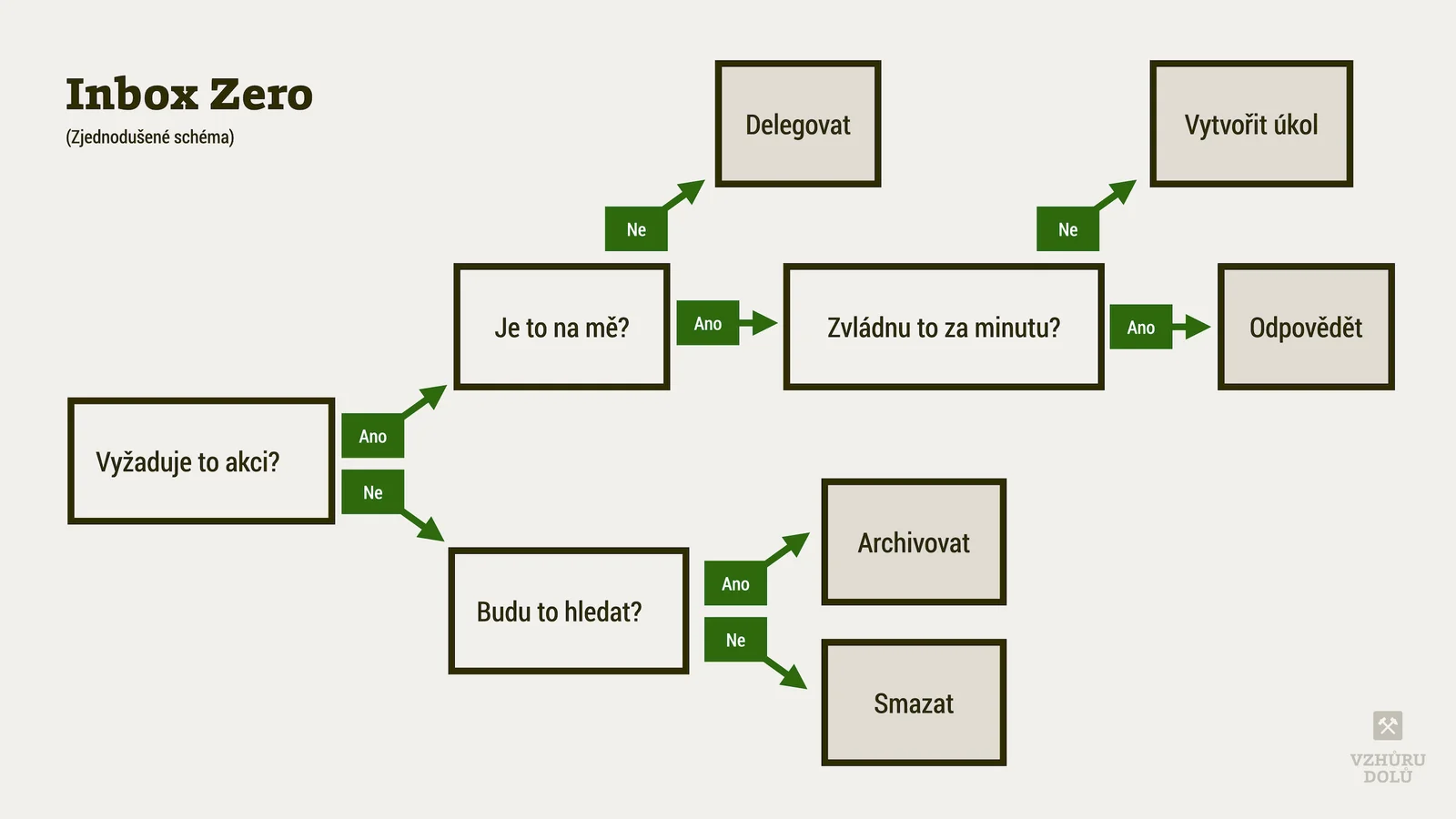
A simplified — and still complicated — diagram. And really it's such a simple thing, isn't it?
The original Inbox Zero method works with these “D” actions; I’ve tweaked them a bit with my own experience:
Delete
If an email isn’t relevant or doesn’t require action, just delete it. It probably came just for your information, or not even that. For me this splits further into two different actions:
- Delete — emails I won’t need to archive. They contain no important information, or they’re just a duplicate of a Basecamp message (or another tool) where it’ll be searchable anyway. Even so, it’s good to respond somehow, so the people on the other end know you’ve seen it. Emoji reactions in Basecamp are great for this. Email doesn’t offer that yet.
- Archive — messages or threads that contain important information. I archive most messages rather than delete them. As a result, I know what nonsense I wrote to whom eight or ten years ago. You want that.
Delegate
If an email requires action but you’re not the right person to deal with it, delegate it to the right person or team.
For me that means adding or updating an appropriate task for my colleagues. I don’t actually delegate much, though, because our responsibilities are fairly well divided and we all know what we’re supposed to do.
Do
If an email needs a quick, simple action you can finish within a few minutes, I do it right away. Reply, perform the requested action, whatever it is. This is where you’ll feel like you actually got something done. Is it more than a minute or two of work? Then I track the time for the client.
Defer
For emails that need more time or effort but that you can’t get to right now, set them aside for later. Use your task list or the snooze feature in your email client. They’ll disappear from view, at least for now.
Deter
Emails that are spam or irrelevant — just mark them as spam or unsubscribe. This one is especially satisfying.
Step 3: profit!
You’re done. Every day you’ll be rewarded with the sight of an empty inbox:
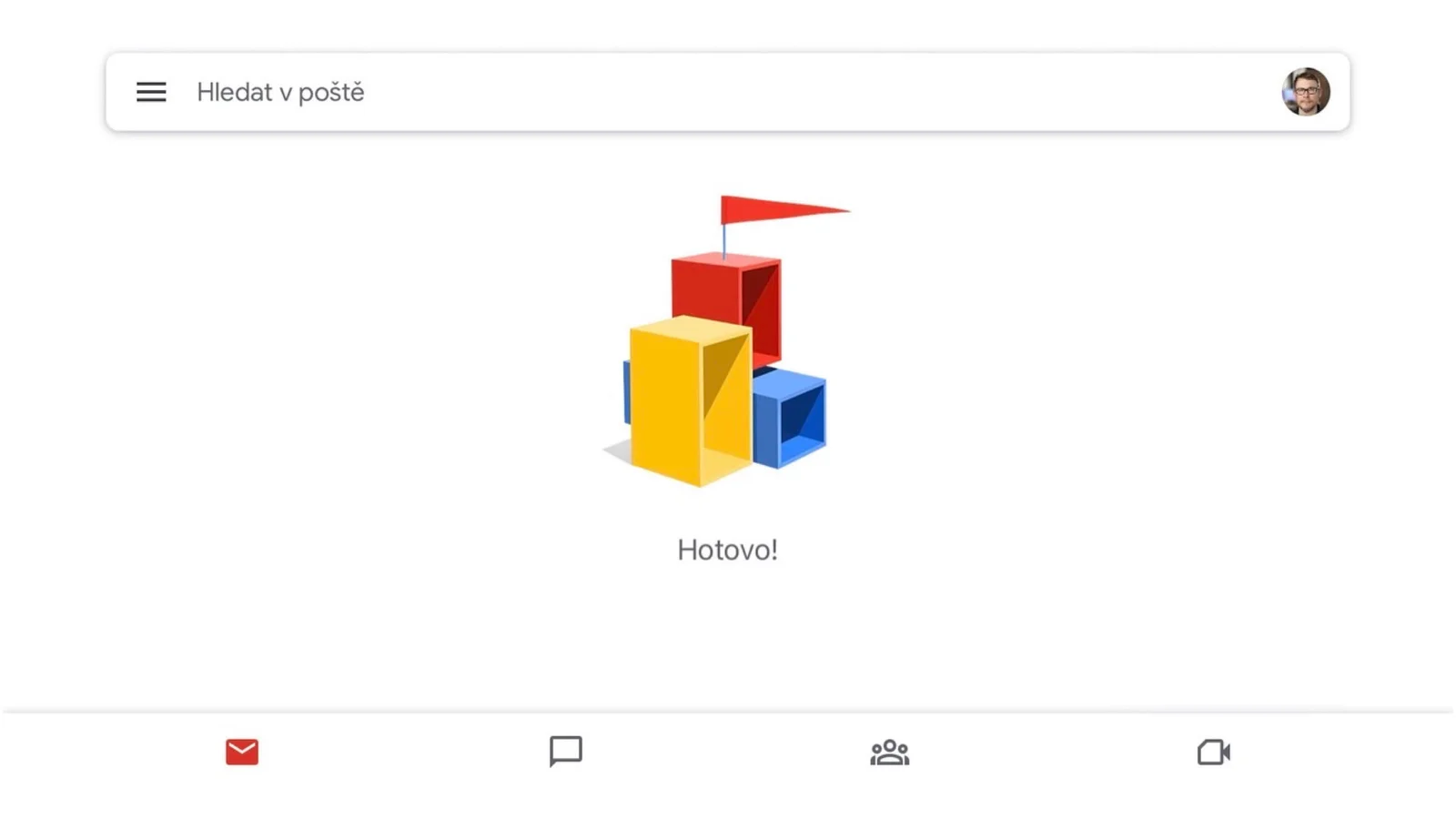
Peace and quiet right here.
It’s a good feeling. It doesn’t have to be perfect right away. Mine isn’t perfect either, even after all these years. But it helps. Give Inbox Zero a try.